
TradeSoft 1.4.0: The Armoury, new profiles and brands
Show off your kit in The Armoury and browse everyone else's, on the web and in the app. Version 1.4.0 also brings redesigned profiles, brand filters and a new sign-up flow.
Where you can get it
This release is for everyone with a personal account. Some of it is new everywhere, and some of it is the mobile app catching up with the web app.
- The Armoury and brands. Already live on the web app, and now in the mobile app with 1.4.0.
- The new sign-up flow and app tour. Mobile app only, because a personal account can only be created in the app.
- Everything else. Redesigned profiles, the new club and business cards, and the leaderboard podium bring the mobile app in line with the web app.
Version 1.4.0 is out now on the App Store for iOS and on Google Play for Android. Updating is the only thing you need to do. The Armoury is optional: if you do not want one, do not add any items.
The Armoury: show off your kit
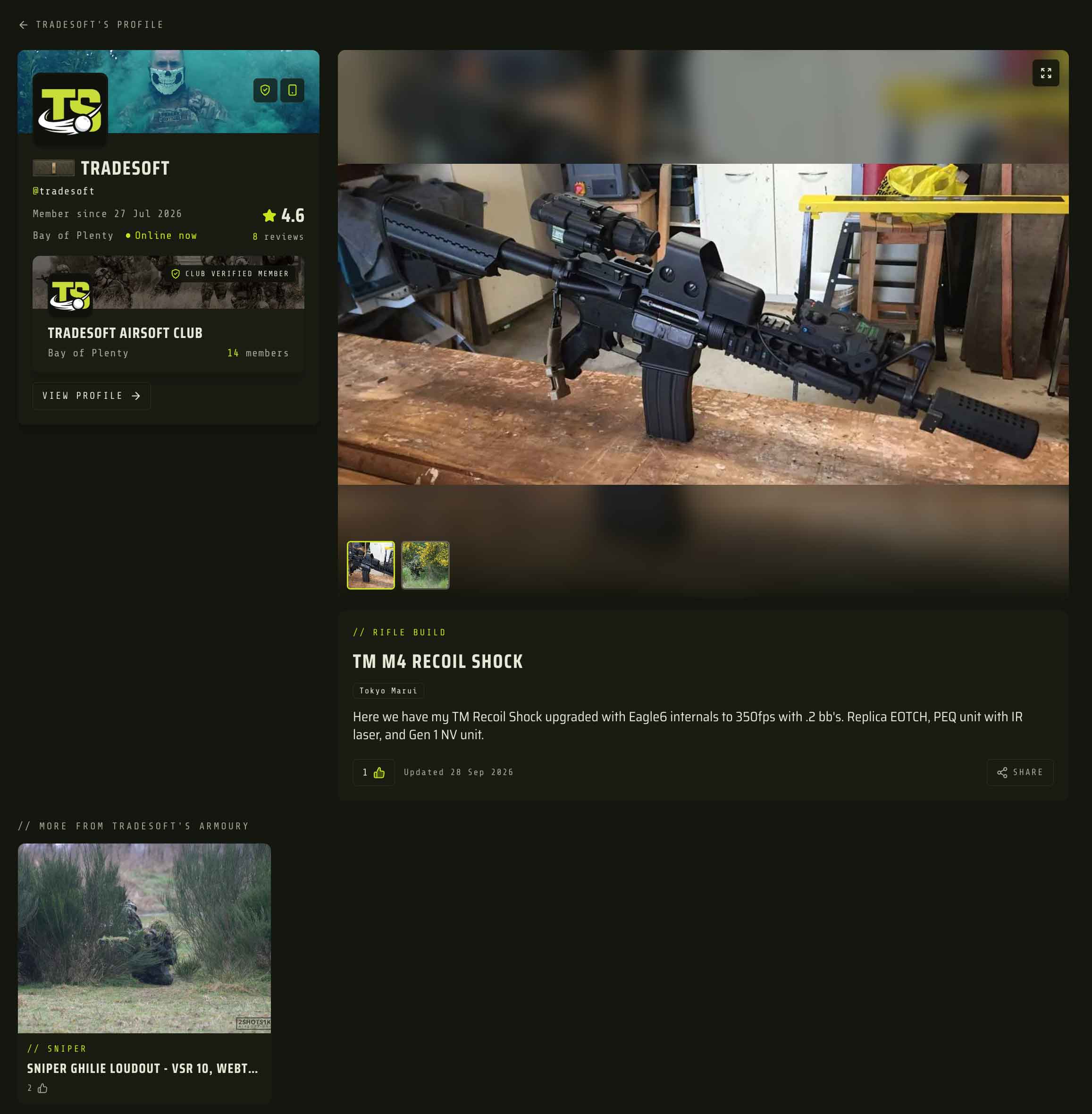
Your profile now has an Armoury. It is a place for the guns and gear you are proud of, whether or not they are for sale. Each item has a title, a kit type, up to 6 brands, a description and 1 to 4 photos. The first photo is the cover.
Pick one kit type per item: Rifle build, SMG, Sidearm, Sniper, Shotgun, Support (LMG), Loadout, Gear, Collection or Other.
You can have up to 15 items. Use the arrows to put them in order. Your top item is your primary kit, marked with the PRIMARY tag, and it gets its own card near the top of your profile. The rest sit in the Armoury section below it.
Other players can upvote an item with a thumbs-up. Your own upvote is counted automatically when you add an item and cannot be removed. Anyone can see how many upvotes an item has, but nobody can see who gave them. Adding your first item earns you 5 points toward your rank. That happens once per account.
In the app, go to your avatar (top right) > My Armoury. On the web app, My Armoury sits in your dashboard, just below Edit Profile.
Your listings only show what you are selling, and they disappear once they sell. Your Armoury shows what you actually run. That tells a buyer or a new teammate more about who they are dealing with than a rating alone. We have written a separate post on building out your community profile if you want to set yours up properly.
Browse everyone's kit in The Armoury
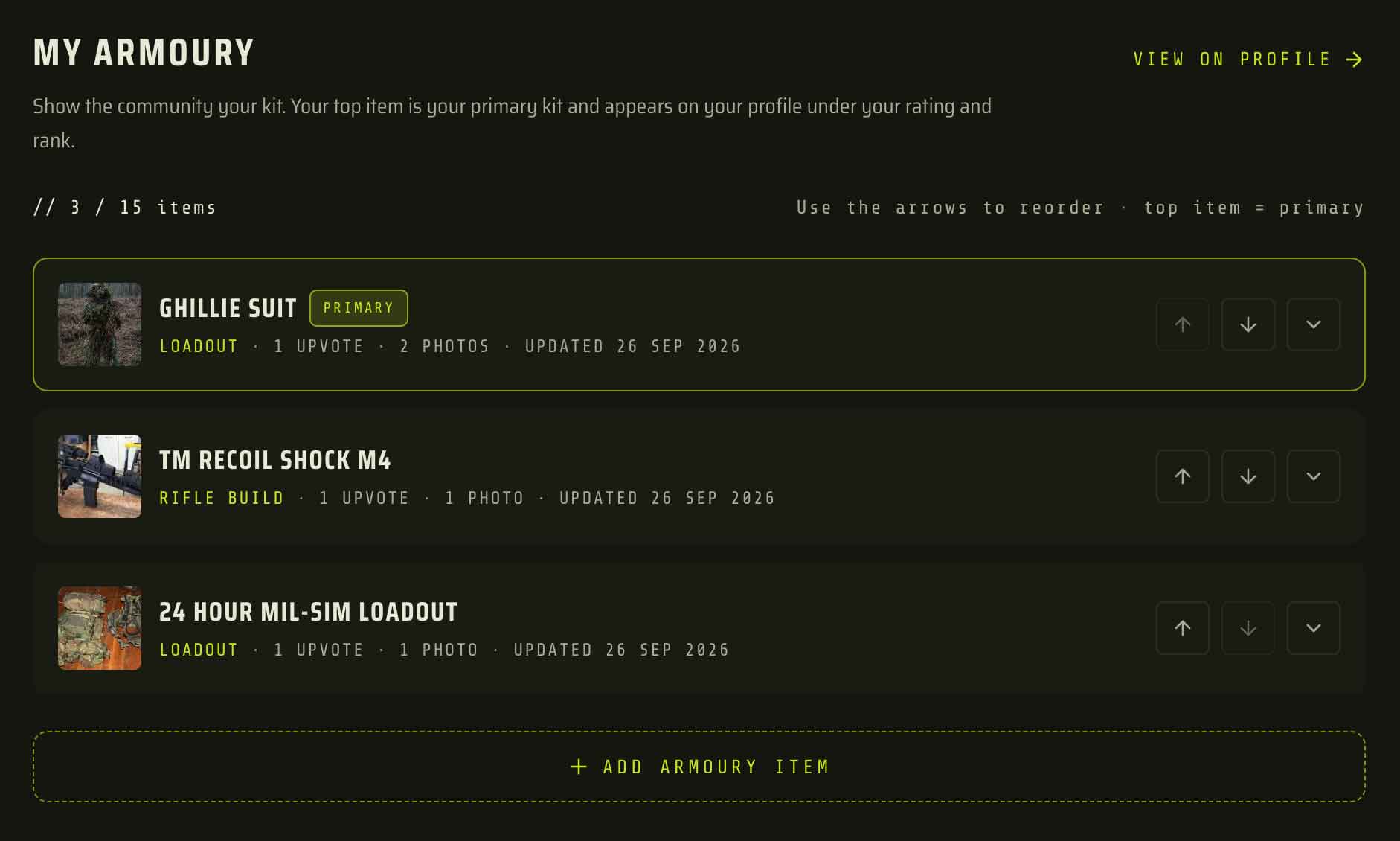
Community > The Armoury shows items from players across New Zealand in one feed. You can:
- search by title, description or brand
- filter by kit type, brand and location
- sort by newest, oldest or rating.
The app remembers your search, filters and sort, so the feed looks the same next time you open it. Tap an item to open the owner's profile at that item. If you have not used the Community tab much yet, the 1.3.0 post explains what else lives there.
It is the easiest way to see what builds people are running and which brands they trust, before you buy parts or a new platform.
Brands on listings, Browse and wishlists
When you create a listing, you now pick brands from a list instead of typing them. You can pick up to 5 under BRAND, and if yours is not on the list, choose Other and type it in.
On Browse, there is a new BRAND filter. Your wishlists can match by brand too.
Existing listings were matched to the list where the brand typed on them was a clear match, so not every older listing has one. If someone is still on an older version of the app, the brand they type is matched to the list the same way.
Typed brands meant "G&G", "G & G" and "GnG" were three different things, so searching for one missed the others. A shared list means a brand filter catches every listing tagged with that brand.
Redesigned profiles in the app
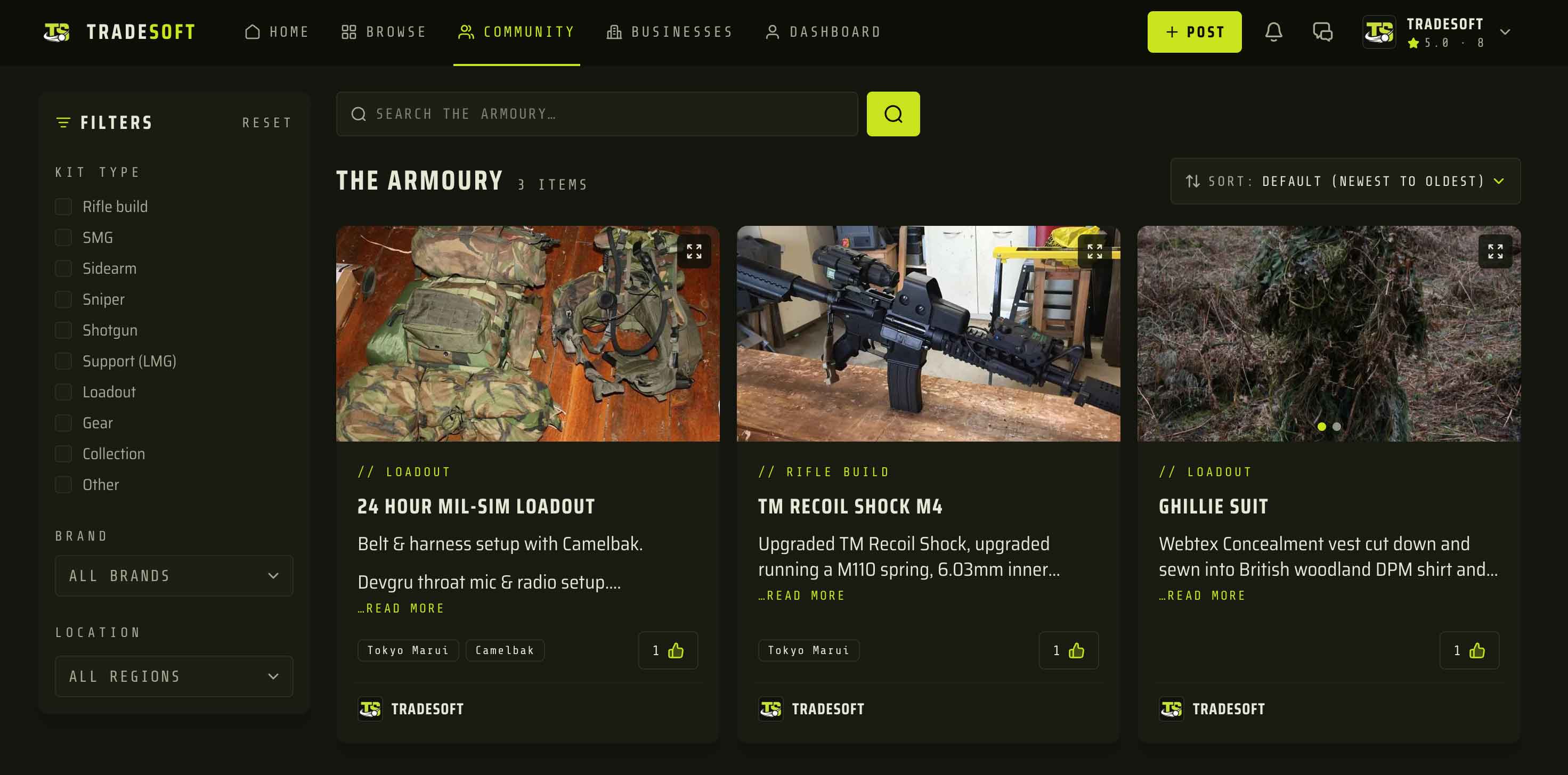
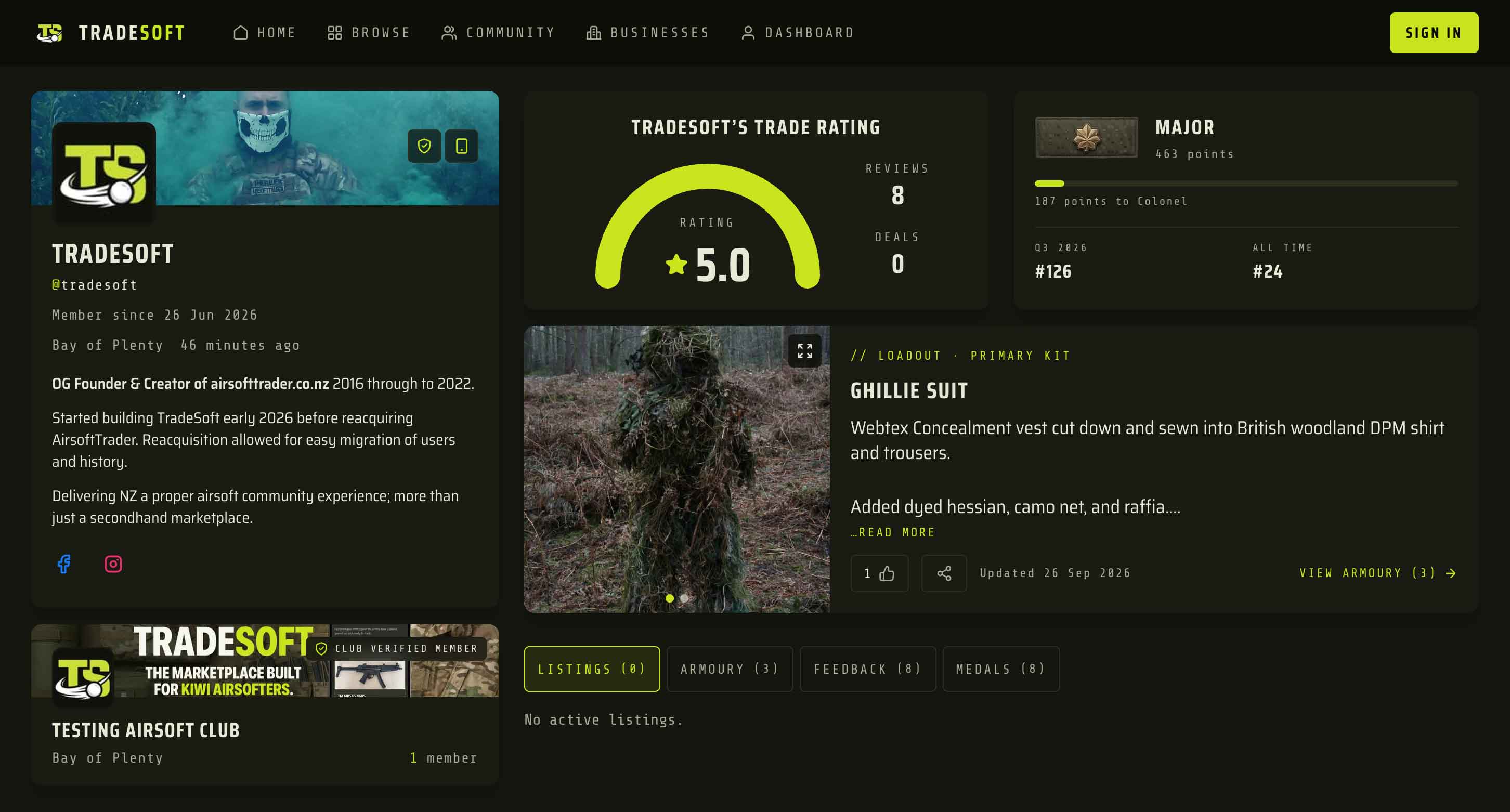
Profiles in the app now match the web app. You get:
- a cover image and a bio with basic formatting
- social links
- a rating card
- cards for the clubs you are a verified member of.
Listings, reviews, the Armoury, medals and discussions each have their own section that you can open and close. You can add a cover image and format your bio from Edit Profile.
The seller card on a listing uses the same design, so the person you are about to trade with looks the same as the profile you land on when you tap through. Clubs and businesses now use cover and avatar cards, and so do club member lists, which show when each person joined the club.
Leaderboards now show the top three on a podium, on the all-time view as well as the season.
A new sign-up flow and app tour
New members now get an optional Your Profile step while signing up. It covers:
- a profile photo
- a cover image
- a bio of up to 300 characters
- social links.
For social links, you can type your handle or paste the link to your profile. Everything on that step can be skipped with Skip for now. After phone verification, a short tour shows what is under each tab.
Existing members will also see the tour once after updating. That is on purpose, so you know where the new bits live, and you can skip it.
Your Account screen now has a Finish your profile card. It lists anything missing, such as a profile photo, a bio, a verified phone number or your first Armoury item. When the list is empty, the card goes away. Don't show this again hides it on the web app too.
A profile with a photo, a bio and a verified number gets more trust from other traders. We would rather point you to what is missing than make you fill it all in before you can start.
Smaller fixes
- Long text stays on screen. Long messages, Q&A answers and other long text boxes no longer grow off the screen.
- The brand list stays visible instead of hiding behind the keyboard.
- The Marketplace. On the web app, the browse page is now headed The Marketplace.
Limits worth knowing
- Armoury maximums are fixed. 15 items, 1 to 4 photos per item, a 60-character title, a 500-character description and 6 brands. Listings allow 5 brands plus Other.
- No Other brand in the Armoury or on wishlists. A typed brand cannot be matched against other items. On a wishlist, use keywords to catch a brand that is not on the list.
- Deleting an Armoury item is permanent. Its photos and upvotes go with it. The 5 points stay.
- Personal accounts only. Business accounts cannot have an Armoury, because they do not have a personal profile.
- Location in The Armoury is the owner's current region. An owner with no region set still shows up when no location filter is applied, but never matches one.
- No upvote notifications. You will not get a notification when someone upvotes your kit.
- Blocking applies. You and a player on either side of a block cannot upvote each other's items, and players you have blocked do not appear in your feed.
- Armoury items cannot be reported directly. Report the player from their profile instead.
- Item pages live on the web. Each Armoury item has its own page on the web app, so sharing an item from the app sends the web link.
- The tour shows once per account, not once per device.

