
Club events: put them on your own website
Generate a snippet from your events page, paste one line into your club website, and your TradeSoft events appear there and keep themselves up to date.
Your club events already show on your TradeSoft club page and in the events feed. Now they can show on your own website too.
You generate a snippet, paste it into a page on your site, and that is the end of the job. The events keep themselves up to date. Add an event on TradeSoft and it appears on your website. Cancel one and it updates there too. Nobody has to remember to edit two places.
Everything here lives in the web app, under Club management > Events. Nothing changes in the mobile app, there is no update to install, and players do not need to do anything.
Getting a snippet
On your events page there is a new button, Embed on your site, next to New event.
Create an embed, choose what it shows, add your website address, and copy the snippet. It looks like this:
<script src="https://embed.tradesoft.app/v1.js" data-embed="emb_..."></script>Paste that into your website wherever you want the events to appear. It works in WordPress, Wix, Squarespace and anything else that lets you add a block of HTML.
Choosing what shows
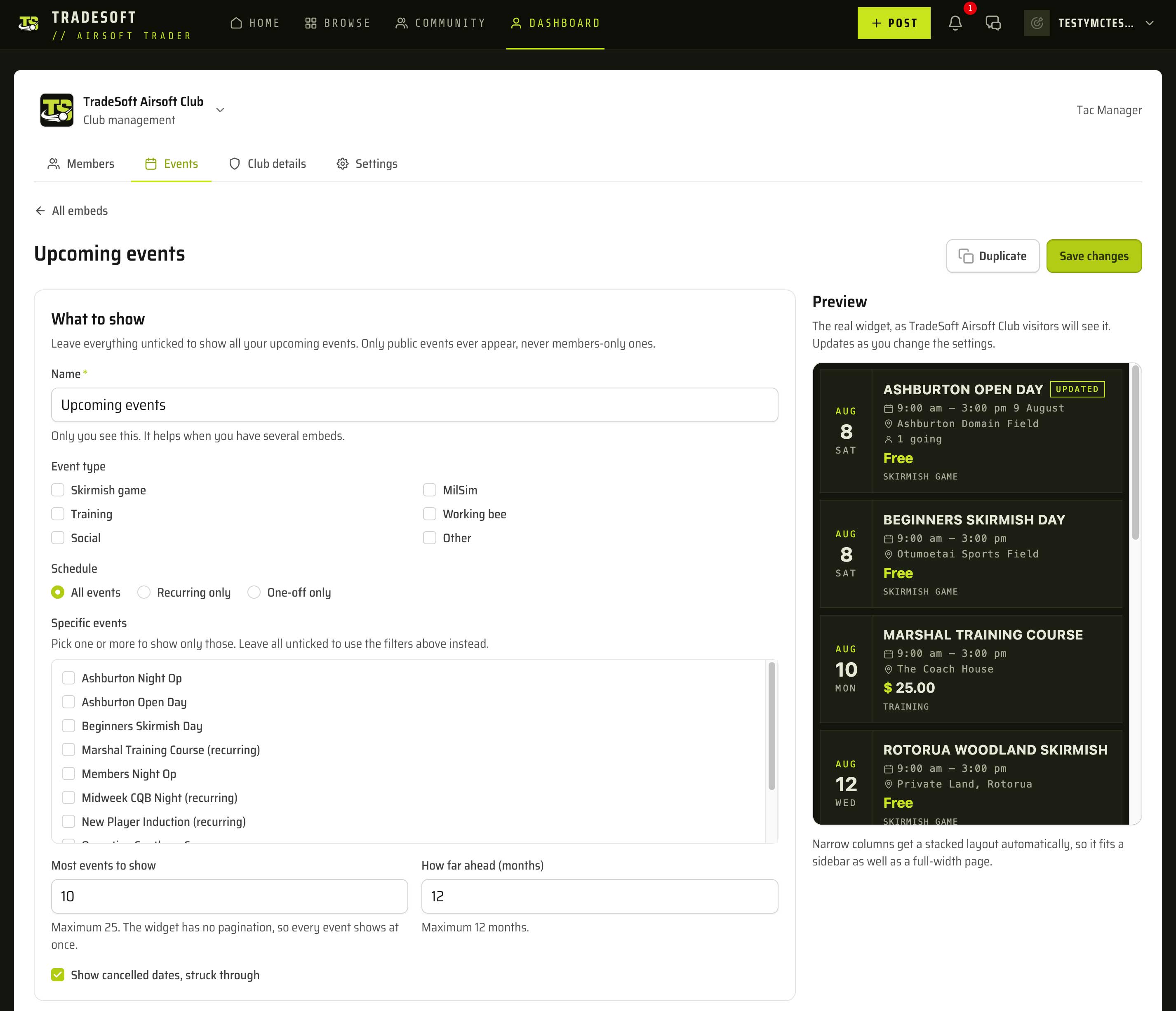
An embed does not have to show everything. You can filter by:
- Event type, so a page can show only working bees, only mil-sim, or only training
- Schedule, if you want recurring events only, or one-off events only
- Specific events, picked from your own list, when you want one series and nothing else
You also choose how many events to show and how far ahead to look. Both are numbers you set, up to a ceiling of 25 events and 12 months. Set the count to 1 and the embed shows your next event and nothing else, which suits a home page where you only want to advertise the next game day.
You can build more than one
An embed is not a single setting for your whole club. You can create as many as you like, each showing something different, all drawing on the same events you already manage on TradeSoft.
So you might run one embed for your recurring fixtures and a second for one-off special events, and put each on a different page. Or keep working bees on a members page and game days on the front page. Every embed gets its own snippet, its own filters and its own look.
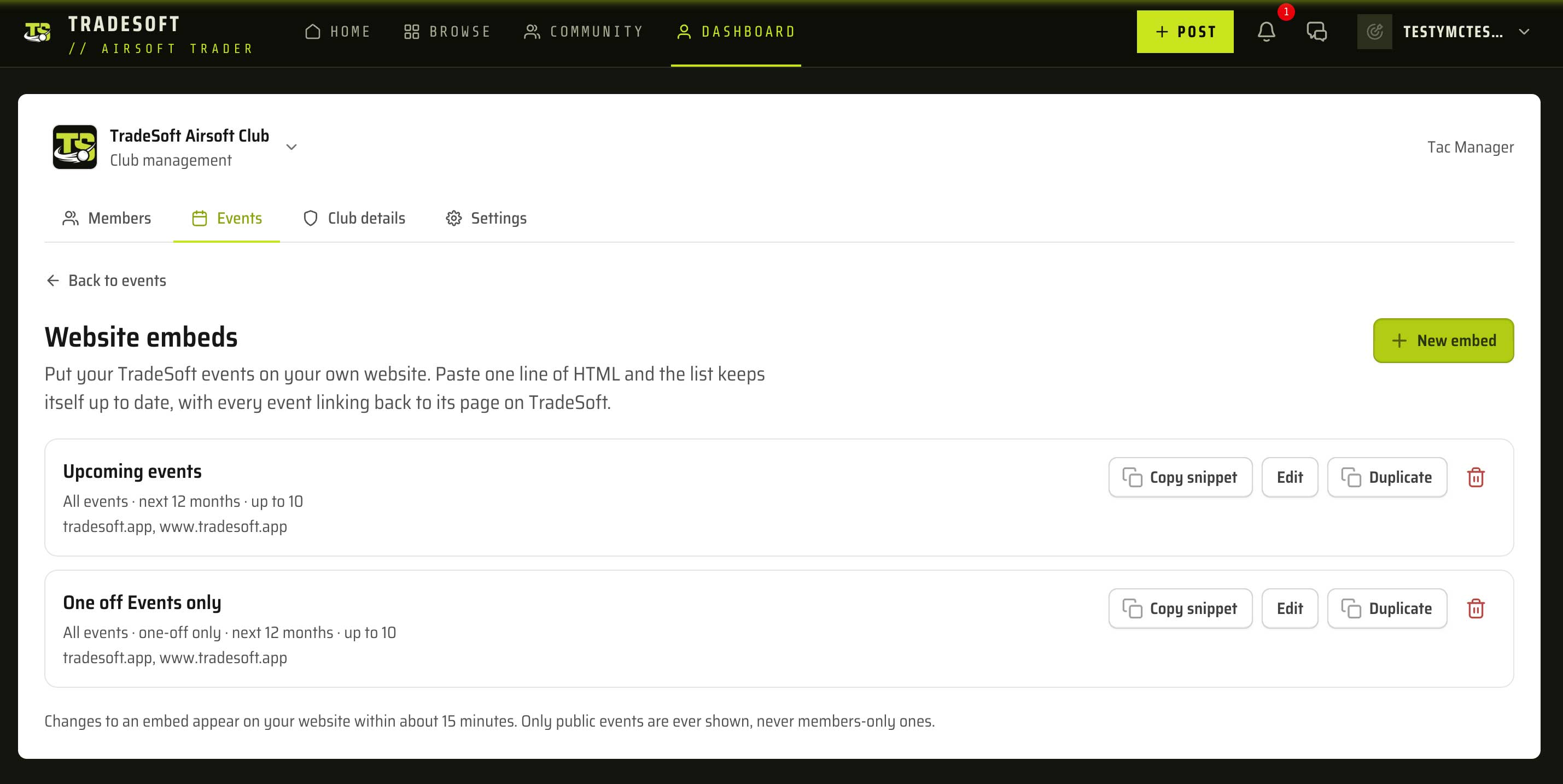
If you build one and want a variation, Duplicate copies the whole setup so you only change the part that differs.
Making it fit your site
There is a live preview beside the settings that updates as you change them, so you can see the result before you save.
The list is the same design as the events feed on TradeSoft, so it reads as part of the platform rather than a generic calendar. What you can change is how it sits on your page.
You can choose a dark or light theme, or have it match each visitor's own light and dark setting. You can set an accent colour to your club's own, turn event photos and prices on or off, and let your page background show through behind the events.
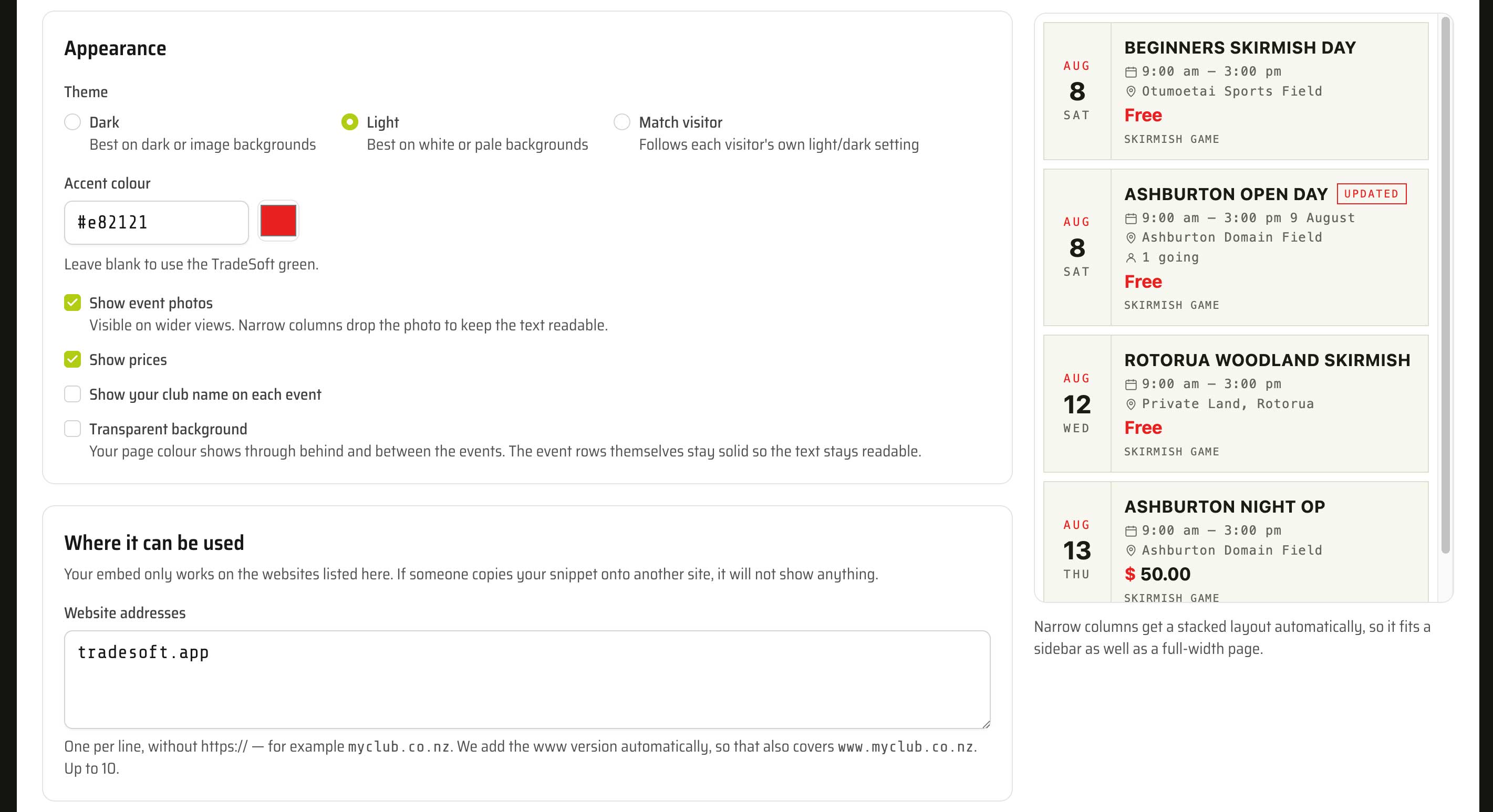
The widget also fits whatever space you put it in. Drop it into a full-width page and each event gets a wide row with its photo. Drop it into a narrow sidebar and it stacks instead, dropping the photo so the text stays readable. You do not configure any of that, it just adapts to the width of whatever you paste it into.
Every event links through to its page on TradeSoft, so people who want the detail, the venue or to RSVP end up in the right place.
Your embed only works on your website
When you set up an embed you list the websites it is allowed on. It will not show events anywhere else.
This is not optional, and it is worth explaining why. A snippet sitting in your page source can be copied by anyone who views it. Without the restriction, someone could paste your embed onto an unrelated site and show your club's events there. Listing your website means a copied snippet simply does nothing.
You enter the address without https://, for example
myclub.co.nz. We add the www version automatically. You
can list up to ten, which covers clubs with more than one site.
A few things to be aware of
- Only public events ever appear. Members-only events are never shown, even on a members-only page on your own site. We have no way to confirm a page is really restricted, so we do not take the risk.
- Changes take about 15 minutes to reach your website. That applies to new events, edits and cancellations.
- 25 events and 12 months are the ceilings, not the settings. You pick any number up to those. There is no "next page", so everything shows at once, which is why the ceiling exists.
- Creating a new snippet permanently stops the old one working. Use it if your snippet has ended up somewhere it should not be, then paste the new one into your site.
Where to find it
Open the web app, go to your club dashboard, pick Events, and press Embed on your site.

