
Email notifications, plus featured listings and bumps on the web
Two things landed today: email notifications, so you stop missing messages while you're away from the app, and featured listings and bumps you can now buy on the web app.
Email notifications
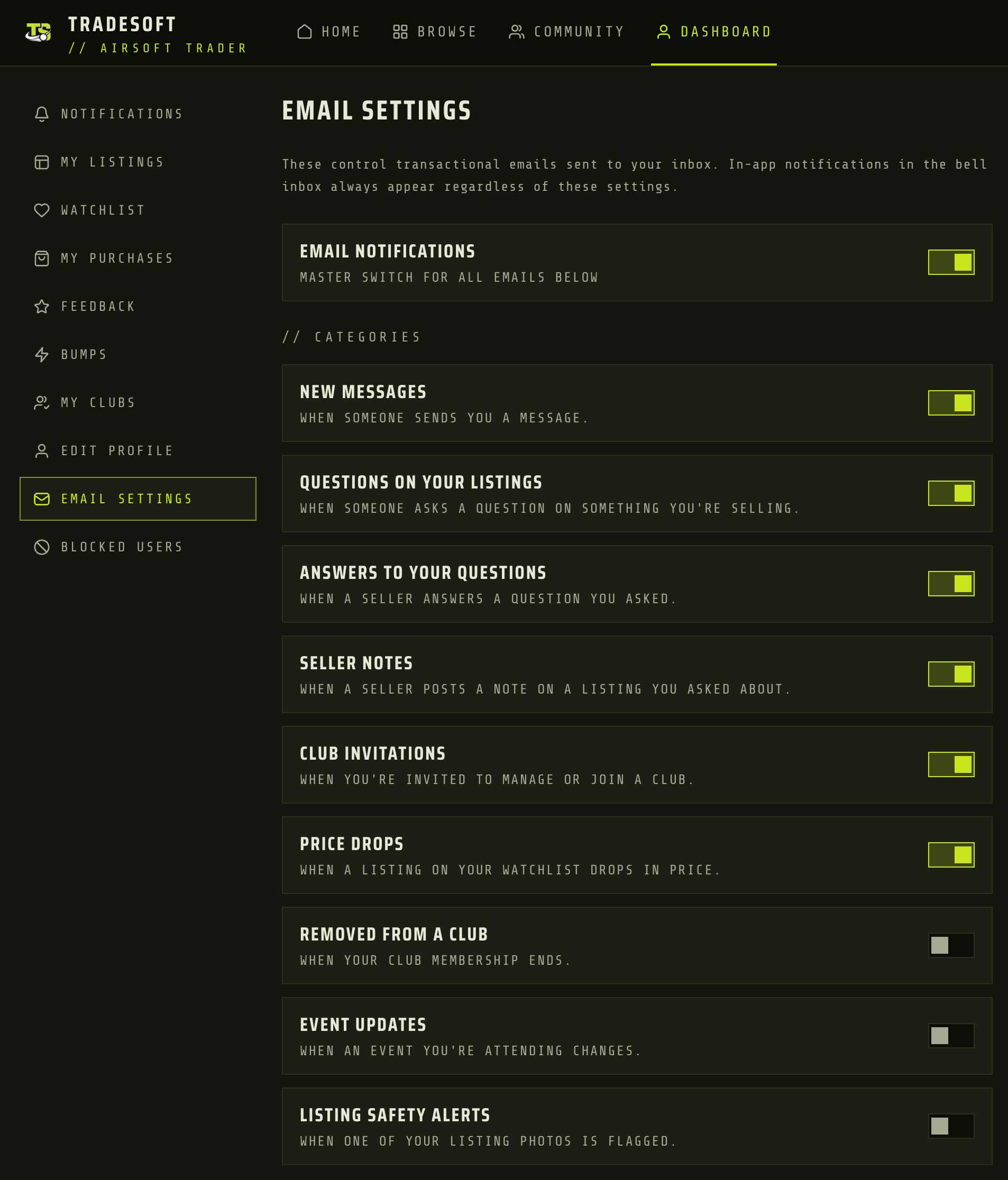
Up to now, if you weren't in the app you didn't know anything had happened. TradeSoft will now email you when something needs your attention: a new message, a question on one of your listings, an answer to a question you asked, a club invitation, or a price drop on something you're watching.
The ones most people want are switched on out of the box. The quieter ones, like event updates and listing safety alerts, start switched off. Every single one is yours to change.
Message emails won't bury you
Nobody wants an inbox full of one email per message. So you get told when you have an unread message, not every time a message arrives. If a conversation is sitting unread and more messages come in, they don't each trigger another email. Once you've read it, the next message after that will email you again.
The same logic means nothing is sent at all while you're reading along in real time. If you've already seen it, we don't email you about it.
Where to change them
Everything lives under Dashboard > Email settings in the web app. Each category has its own toggle, and there's a master switch at the top if you would rather have none of it.
Featured listings and bumps on the web app
Featured listings and bumps used to be mobile-only. Both can now be bought on the web app, with payment handled through Stripe. So if you list from your computer, you no longer have to pick up your phone to give a listing a push.
- Featured listings put your ad in the spotlight. They are the best way to maximise visibility and draw attention as people scroll the list.
- Bumps push an older listing back to the top of the listings, so it gets in front of people who missed it the first time.
Both work exactly as they do in the mobile app, and anything you have already bought carries across. The Help Centre articles above cover the detail on each.

