
// SELLING
Seller notes. One update, everyone told.
Re-chronoed it? Added a mag? Post a seller note on your listing and everyone who asked about it gets told.

How it works
-
Open your listing's Q&A
Go to the questions on any of your listings.
-
Write a note
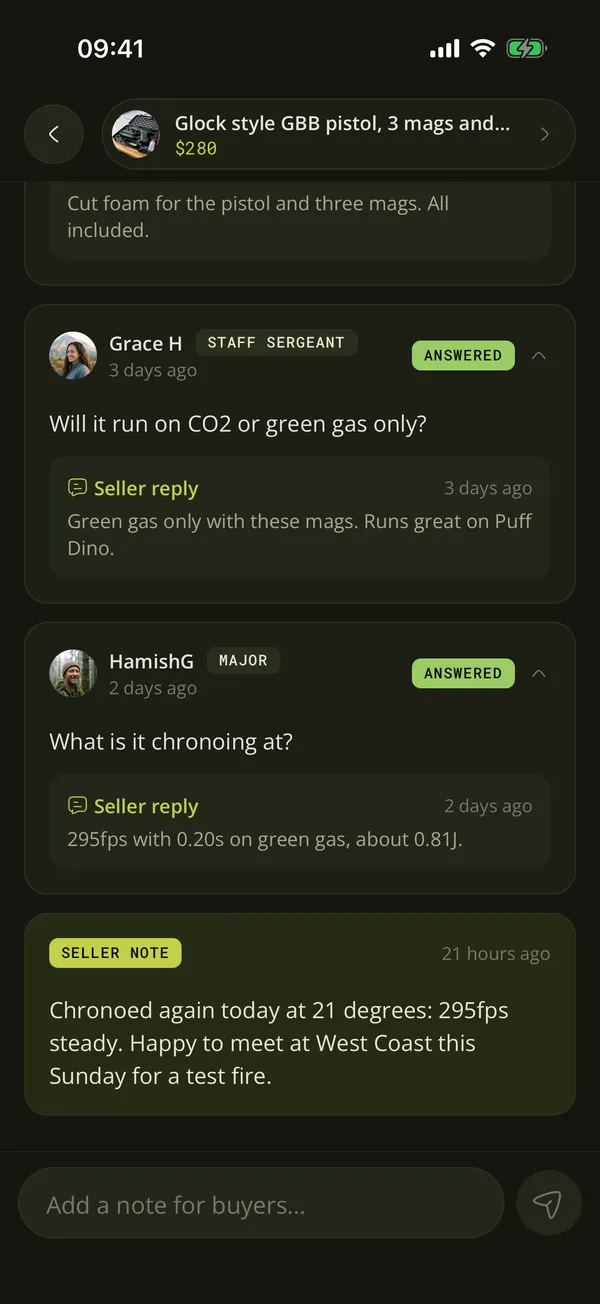
Share the update: a new chrono reading, an extra mag, a meet-up offer.
-
Interested buyers are notified
Everyone who asked a question gets a notification, and the note stays on the listing.
// KEEP BUYERS POSTED
No more repeat messages
Seller notes sit alongside the listing's public Q&A, so new buyers see them too.
It's the quickest way to keep everyone interested in the loop.
- Post a note in seconds
- Everyone who asked is notified
- Shown on the listing
- No need to message people one by one
Frequently asked questions
Who gets notified about a seller note?
People who asked a question on the listing get a notification when you post a note.
Can everyone see seller notes?
Yes. Notes are public and show on the listing alongside the questions and answers.
What should I use seller notes for?
Anything buyers would want to know: a fresh chrono reading, extra items included, a price change or a chance to test fire.
More on TradeSoft
// GET THE APP
Join TradeSoft. It's free.
Sell smarter on TradeSoft. Free on iPhone and Android, and on the web.


Prefer your browser? Use TradeSoft on the web