
Club management now lives in your dashboard
Running a club no longer means a separate login at a separate address. Club management is now part of the main web app, sitting alongside your own marketplace account.
One login, both dashboards
Club management used to live in its own dashboard at its own address, which meant club managers were logging in twice: once as a trader, once to run the club. That has now been folded into the main web app.
Your personal marketplace account and your club's management tools now sit behind the same login, in the same place. Open Dashboard in the top navigation and you get the choice:
- User dashboard for your own listings, watchlist, purchases and profile.
- Club dashboard for your club's members, events, club details and settings.
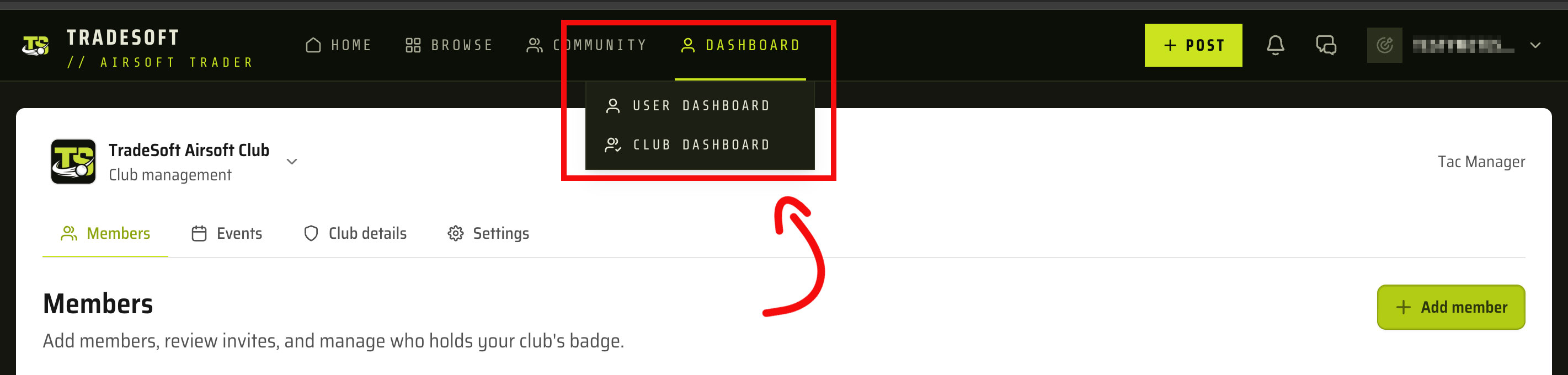
If you had the old club dashboard bookmarked, you can drop it. Log in as you normally would and switch across from the Dashboard menu.
A tidier events area
While we were in there, the events area of the club dashboard got some attention. There are now filtering options, so you can sort between your event types and get to the ones you're after quickly instead of scrolling the whole list. Useful once a club has a few recurring fixtures plus one-off games on the books.

